How to Tell Your Team You're Bringing In AI (Without Starting a Panic)
✦Key Takeaways
- Only 26% of US employees say their organisation has communicated a clear plan for AI (Gallup, August 2026). Where employers don't explain, staff fill the gap with guesses about their jobs.
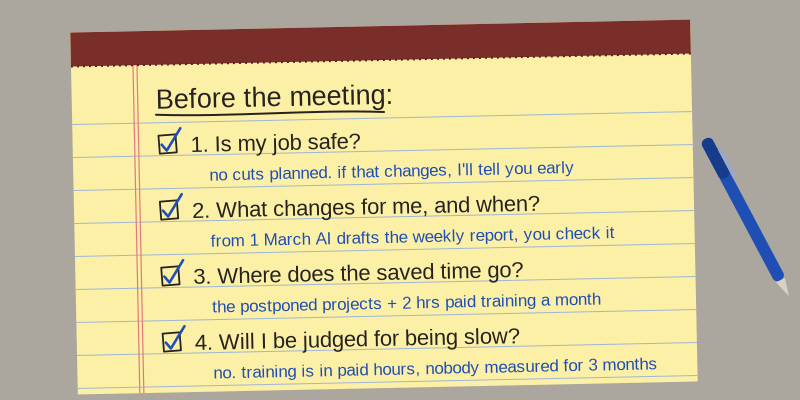
- Settle honest answers to four questions before you speak: is my job safe, what changes for me and when, where does the saved time go, and will I be judged on how fast I learn?
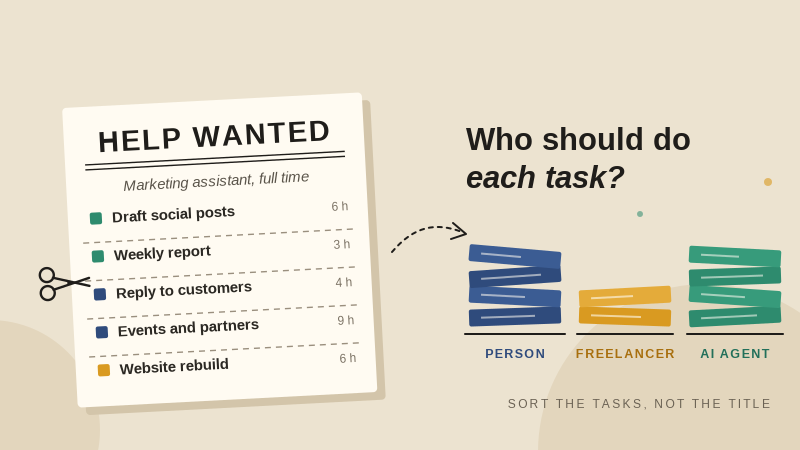
- Name tasks, not tools. "AI drafts the weekly report and Priya checks it" calms people; "we're going AI-first" lets them imagine the worst.
- The owner explains why; each person's manager explains what it means for them. Tell managers first, announce live rather than by email, and hold one-to-ones the same week.
- Never promise that nobody will ever lose their job. Promise what you can keep: no planned cuts, and an early, honest warning if that changes.
- Decide where the saved time goes before anyone asks. BCG found 66% of frontline users get limited or no guidance on it, and workers tend to expect more admin.
- One meeting isn't enough. Prosci recommends repeating key messages five to seven times, because people mostly hear the part about themselves the first time.
Why AI Announcements Go Wrong
- Too vague. "We're exploring AI to improve efficiency" sounds harmless to the person saying it. To the person hearing it, "efficiency" usually means fewer people.
- Promising too much. "Nobody will ever lose their job because of AI" feels kind, but you can't guarantee it, and the first time it turns out to be untrue, nobody believes anything else you say.
- A mandate with no support. "Everyone should be using AI by the end of the quarter," with no time, training or rules, reads as a test people expect to fail.
Before You Tell Employees About AI, Answer the Four Questions Everyone Has
1. "Is my job safe?"
2. "What changes for me, and when?"
3. "What happens to the time it saves?"
4. "Will I be judged on how fast I pick this up?"
Who Should Tell Them, and in What Order
- Tell your managers first, a day or two before. Give them the four answers in writing, so nobody improvises a different version.
- Tell everyone at once, live. In person or on a video call rather than by email, so nobody hears it second-hand. The owner explains why.
- Hold short one-to-ones the same week with the people whose work changes most. This is where the real questions come out.
- Follow up in writing with a short page of questions and answers, including the ones people asked afterwards.
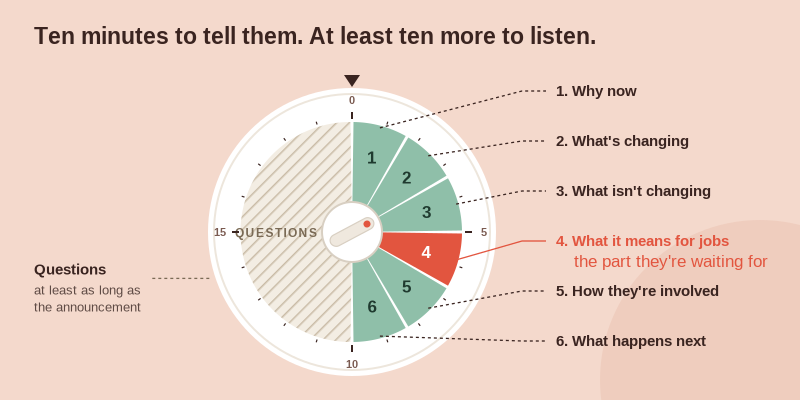
What to Say: A Six-Part Script for Announcing AI to Employees
- Why now. The business reason in a sentence or two, with no buzzwords.
- What's changing. The specific tasks, and the date it starts.
- What isn't changing. The work, relationships and decisions that stay with people.
- What it means for jobs. Your honest answer to the first question.
- How they'll be involved. Who's in the pilot, who picks the tasks and how training works.
- What happens next. The next date they'll hear from you, and where to send questions.
Sample announcement: a 14-person design studio
"I want to tell you about a change before it reaches anyone's desk, and answer the obvious question first: nobody's job is being cut because of this. If that ever changes, you'll hear it from me first, and early.
Why now: clients want first concepts faster, and between us we spend around 15 hours a week writing reports and formatting decks, which isn't what any of us came here to do.
What's changing: from 1 March, an AI tool will draft the weekly client report and the first version of pitch decks. The account lead for each client checks and finishes them. Nothing goes to a client without a person reading it.
What isn't changing: design decisions, client calls and anything that needs taste or judgment stay exactly where they are. The time this frees up goes to the portfolio projects we keep postponing, and to two hours of paid training a month.
How you're involved: I'd like three volunteers to try it for four weeks, including at least one sceptic, and you'll choose which tasks we try it on.
What happens next: we'll share what worked and what didn't at the team meeting on 2 April. Until then, bring questions to me or your lead, or use the anonymous form."
The Questions You'll Almost Certainly Get
- "Will it be watching what I do?" Say plainly what the tool records and who can see it. If prompts and outputs are logged, say so, say why, and say the logs won't be used to rate anyone. Fear of being monitored drives a lot of quiet resistance, and people rarely voice it in a group.
- "Who's responsible if it gets something wrong?" The person who checks and sends the work, backed by you. Keep the rule simple: nothing drafted by AI goes to a customer unchecked, and a mistake caught in review is the system working, not a black mark.
- "Can I keep using the tool I already use?" Given how many people use AI without mentioning it, someone will ask. Say which tools are approved, explain that the reason is where your data goes rather than which tool is better, and say how to request a new one.
Words That Start Panics (and What to Say Instead)
| Instead of | Try | Why it lands better |
|---|---|---|
| "We're going AI-first." | "We're using AI for three tasks: the weekly report, first drafts of decks and meeting notes." | A slogan lets people picture the worst version. A list doesn't. |
| "This will make us more efficient." | "This takes about four hours a week of formatting off the account team." | "Efficiency" is heard as "fewer people". Hours and tasks are heard as help. |
| "Nobody will ever lose their job." | "No cuts are planned because of this. If that changes, you'll hear it early, from me." | You can't promise forever. You can promise honesty. |
| "Everyone needs to start using AI." | "Here's the tool, two hours of paid time to learn it, and who to ask." | A mandate without support reads as a test. |
| "We'll see how it goes." | "We'll review it on 2 April and share what we found." | Open-ended uncertainty is where rumours grow. |
| "Don't worry about it." | "Here's what changes for you specifically." | Reassurance without detail sounds like something's being hidden. |
Bring the Worried People In, Not Around
- Let the people doing the work choose the first tasks. They know which jobs are tedious and which only look simple.
- Put a sceptic in the pilot. If it convinces them, it'll convince everyone. If it doesn't, you've learned something cheaply.
- Make hidden AI use safe to share. Ask the people already using AI to show what works for them. Thank them; don't audit them.
- Answer the privacy question before it's asked. Say which tools are approved and what must never go into them. Our one-page AI usage policy template covers this on a single sheet.
- Train on real work. An hour spent on someone's actual weekly report beats a day of generic prompting tips.
If Some Jobs Really Are Changing
- Tell the people affected first, individually, before any group announcement.
- Give them time and real options: retraining, a reshaped role, or support in finding the next one.
- Take advice before you announce anything. Many countries have legal rules on consulting staff before redundancies or changes to employment terms, and getting the order wrong can turn a hard conversation into a legal problem.
The First 30 Days After You Tell Them
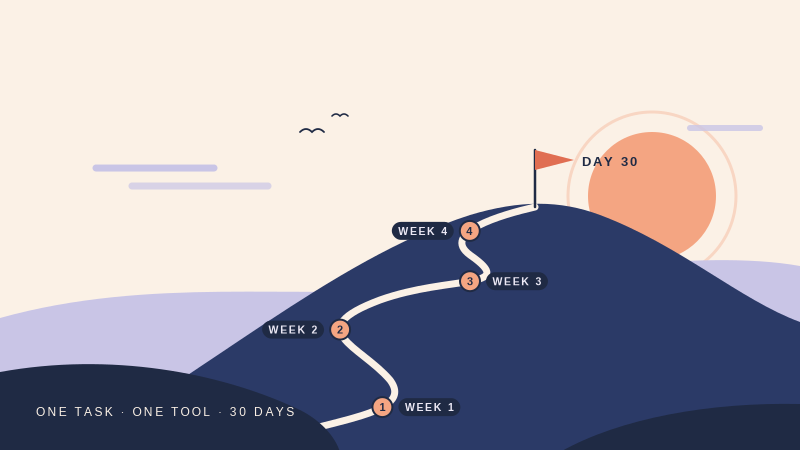
- Week 1: one-to-ones with the people whose work changes most, and the written questions-and-answers page.
- Week 2: start the pilot. Open a channel or a regular slot for questions, plus an anonymous form for the ones people won't ask with their name attached.
- Week 3: share early results honestly, including what didn't work. Admitting a flop builds more trust than a polished success story.
- Week 4: review with the pilot group, decide what happens next, and say where the saved time actually went. Then repeat the key messages, including the answer about jobs.
Conclusion
Frequently Asked Questions
- Should I tell employees before I start using AI?
- Yes, before it changes anyone's work. If staff find out from a new tool appearing or from a colleague, the first message they receive is that they weren't trusted with the news. Tell managers a day or two ahead, then the whole team together, and hold one-to-ones the same week with the people most affected.
- How do I reassure staff that AI won't take their jobs?
- Only with promises you can keep. "No job cuts are planned because of this, and if that changes you'll hear it early" is credible; "nobody will ever lose their job" isn't, because no employer can guarantee it. Back the words with specifics: which tasks change, where the saved time goes and how people will be trained.
- Do I need to consult employees before introducing AI?
- It depends on where you operate and what changes. Adding a drafting tool usually needs no formal process, but cutting roles, changing contracts or monitoring staff in new ways can trigger legal consultation duties in many countries. Take local employment advice before announcing anything that affects jobs or terms.
- What should I do if my team is already using AI without telling me?
- Treat it as useful information, not a disciplinary matter. Surveys suggest secret use is common, usually because people worry it looks like cheating. Ask what they use it for, adopt what works, and give everyone clear rules on approved tools and which data must stay out of them.
- How much training do employees need when AI is introduced?
- Less than most courses suggest, but on the right material. Start with an hour or two of paid time working on each person's real tasks, with someone confident nearby to help. Add short follow-up sessions after the first few weeks, once people know which questions they actually have.
- Should AI use be part of performance reviews?
- Not at the start. Measuring how often people use AI rewards activity rather than results, and it punishes the careful. For the first few months, judge the work as you always have, and check whether the AI-assisted tasks are faster and just as good.
- What if an employee refuses to use AI?
- Find out why before deciding anything. The reason is usually fear for their job, a bad first experience or a genuine concern about quality or ethics, and each needs a different response. Involving a reluctant person in the pilot often works better than insisting, and some tasks can sensibly stay manual.